Elegant Watercolor Florals for Weddings & Beyond
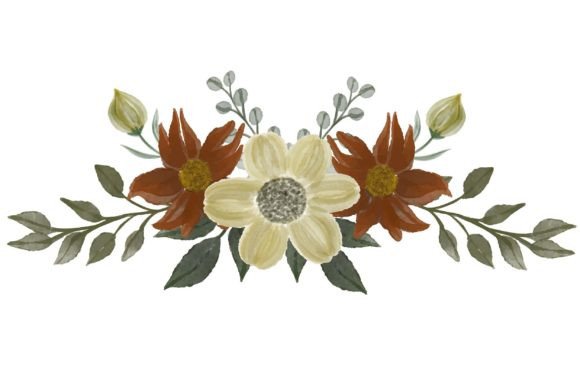
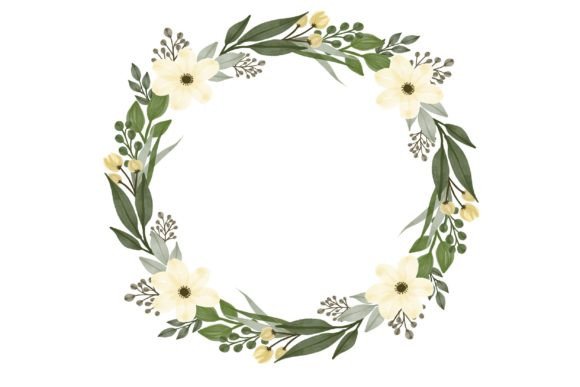
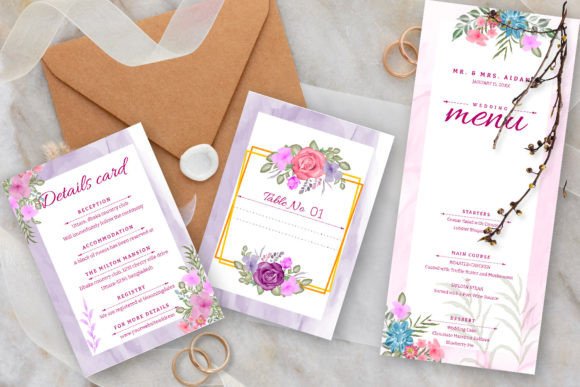
Crafting an atmosphere for a wedding begins with the first piece of communication: the invitation. An Elegant Watercolor Floral Wedding Set offers a perfect foundation. This template, featuring soft dusty rose tones and delicate greenery leaves, provides more than just a pretty design. It’s a fully editable vector file, giving you the freedom to adapt it precisely to your vision. The set includes a 5x7 wedding card and a 3.5x5 RSVP card, complete with bleeds for professional printing, and utilizes free fonts for seamless editing. It’s a toolkit for creating something uniquely yours.
What makes such a set so useful is its balance of artistry and flexibility. The watercolor style evokes romance and organic beauty, a timeless aesthetic that resonates deeply. Yet, because it’s provided as an EPS vector file, it is not a static image. You can open it in Adobe Illustrator, Affinity Designer, or other vector software to change colors, rearrange elements, add text, or scale components without any loss of quality. This transforms a beautiful template into a versatile creative asset.
The Creative Possibilities of an Editable Design
Starting with a professionally designed base allows you to channel your energy into personalization rather than starting from a blank canvas. Think of the Elegant Watercolor Floral Wedding Set as your creative collaborator. Beyond changing names and dates, consider these applications.
You can alter the color palette to match your wedding theme perfectly. While the dusty rose is lovely, perhaps your accent color is sage green or a soft lavender. In a vector editor, you can adjust the hues of the floral elements to create harmony. Similarly, you might extend the design system. The floral motifs can be isolated and repurposed to create coordinating items like ceremony programs, menu cards, or even thank-you notes, ensuring a consistent visual identity across all your stationery.
For those with a more minimalist taste, you could simplify the design. Use the vector software to remove some of the leafy elements, creating a cleaner, more focused look that retains the watercolor texture. Conversely, if you desire more abundance, you could duplicate and arrange the floral clusters to create a fuller, more lavish border. The editable nature empowers these stylistic decisions.
Practical Uses Beyond the Wedding Invitation
While designed for weddings, this set’s utility extends far beyond. The elegant watercolor aesthetic is applicable to numerous events and projects. Bloggers and content creators might adapt the design for special announcement graphics, newsletter headers, or printable guides for their audience. The soft, inviting style works wonderfully for content related to wellness, gardening, DIY crafts, or lifestyle topics.
Small business owners, particularly in fields like floral design, event planning, boutique retail, or wellness services, can use this template as a basis for their marketing materials. A modified version could serve as a beautiful flyer for a workshop, a special offer coupon, or a client thank-you card. It adds a touch of refined, hand-crafted professionalism that stands out from generic templates.
Educators and freelancers could utilize it for creating visually appealing presentation materials or custom certificates. Hobbyists might find it perfect for designing personalized stationery for letters or gift tags. The key is recognizing that the “wedding” context is just a starting point; the core asset is an elegant, editable watercolor illustration.
Adapting the Design for Different Audiences and Formats
Successful adaptation hinges on understanding your audience and the medium. For a formal wedding, keeping the design classic with elegant script fonts and traditional wording is effective. For a more casual or modern celebration, you might pair the watercolor florals with a clean, sans-serif font for the text, creating a fresh contrast.
If your primary audience is online—for instance, using the design for a digital invitation or social media graphic—consider optimizing the layout. The 5x7 card layout is ideal for print, but for digital use, you might rearrange the elements into a square or vertical format better suited for screens. The vector file allows you to do this without compromising the artwork’s resolution.
Always maintain clarity and legibility. The beauty of the watercolor background should not overwhelm the essential information. Use the editing software to ensure text has sufficient contrast against the soft tones. Creating a subtle solid background panel for text or adjusting the transparency of the floral elements behind copy are practical techniques to keep your message clear and effective.
Achieving Consistency and Originality
When using a template, the goal is not to use it exactly as provided, but to make it feel original to your project. Consistency is crucial if you’re creating a suite of items. Use the same color values, font choices, and stylistic adjustments across all derivatives. This builds a cohesive brand or event identity that feels deliberate and polished.
To add a truly original touch, consider incorporating a small custom element. Perhaps you have a simple monogram or a tiny icon that represents you or your business. You can import this into the vector file and integrate it subtly with the watercolor design. This small addition makes the final product feel uniquely personalized, moving it from a template to your creation.
Remember, the provided free fonts are a suggestion, not a requirement. If you have a licensed font that better matches your personality, feel free to replace it. The design’s strength is in its editable vector artwork; the typography is a component you control. This flexibility ensures the final result aligns perfectly with your taste and functional needs.
From Inspiration to Finished Project
Begin by exploring the files. Open the EPS in your chosen software and familiarize yourself with the layers. Most vector templates are logically grouped, allowing you to select and edit specific elements like the floral clusters, the background, or the text boxes independently. This layer structure is your roadmap for customization.
Define your objective first. Are you creating a printed invitation suite, a digital graphic, or a business card? This determines your layout adjustments and output settings. For print, the included bleed areas are vital for ensuring color runs to the edge after trimming. For digital use, you can export high-resolution JPGs or PNGs from your edited vector file.
Finally, trust the process. An Elegant Watercolor Floral Wedding Set is designed to be a helpful starting point. It provides the aesthetic foundation, saving you time and technical hurdles. Your role is to infuse it with your specific content, color preferences, and stylistic tweaks. This collaboration between a quality template and your creative input is what leads to a result that is both professionally beautiful and deeply personal. Enjoy the design, and enjoy the creative control it affords.